
Vernum Broadcast

Soft Suite

Tools

The suite of tools we use to plan and call a live show. Open the one you need, then send the crew a link, a show file, or a camera plan.

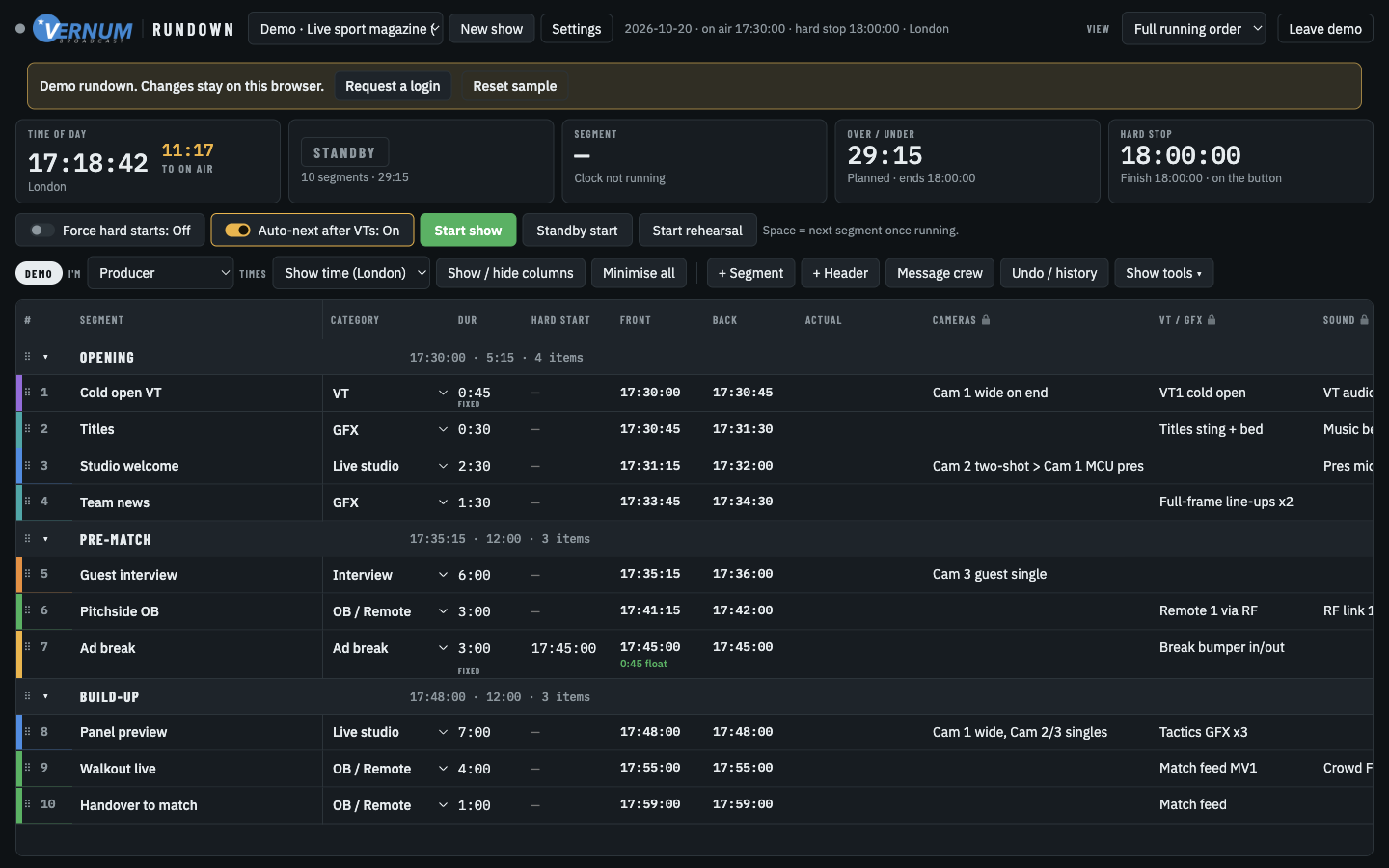
Vernum Rundown sample show: a running-order grid with segment times, durations, and the live clock strip.
The sample rundown. Crew open a role link. They do not sign in.

Rundown

rundown.vernumbroadcast.com

What it is

A cloud running order. Planning, rehearsal, and live calling share one clock, and every crew screen updates within about a second.

How it works

  1. The producer signs in, or opens the sample rundown in the browser with no login.
  2. They build the show: segments, durations, hard starts, and their own columns.
  3. Crew never sign in. Each job gets a link locked to that show. Floor gets the phone view, talent the presenter view, and the server enforces what each role can change.
  4. On the night the producer starts the clock. The same playhead, countdowns, and crew messages appear on every screen. PDF and CSV are the printed backup.
Live NiLE

livenile.vernumbroadcast.com

What it is

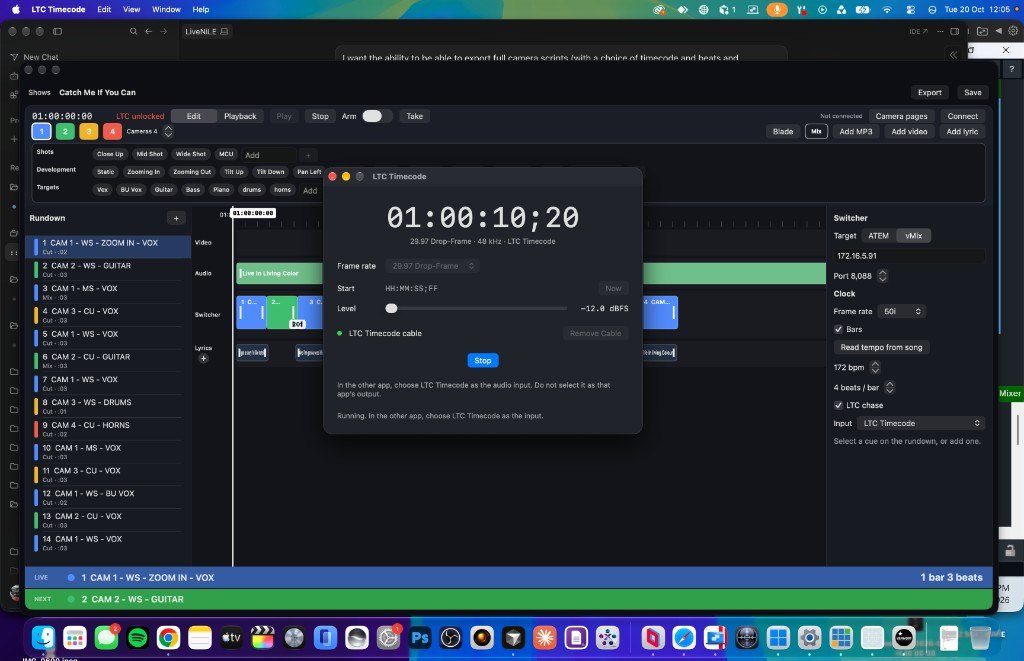
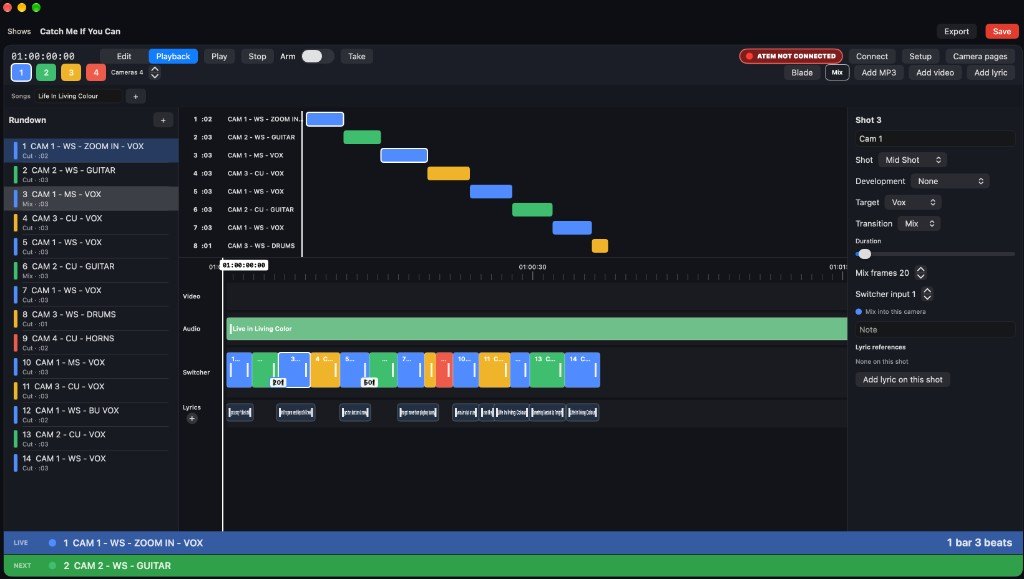
A live non-linear editor. You cut the programme on a timeline the way an editor would, against the music. The website is the planning desk. Live NiLE on the Mac fires the vision mixer, ATEM or vMix, so those cuts happen live, in time with the track.

How it works

  1. On the site, start a rundown: songs, lyrics, camera shots, cuts and mixes, and the audio.
  2. Place the shots on the timeline, read the tempo from the track, and play it back in the browser.
  3. Download the .LiveNiLE file.
  4. Open that file in Live NiLE on the Mac, connect the mixer, and the app takes the cuts as the song plays. LTC can lock the playhead to the incoming timecode.
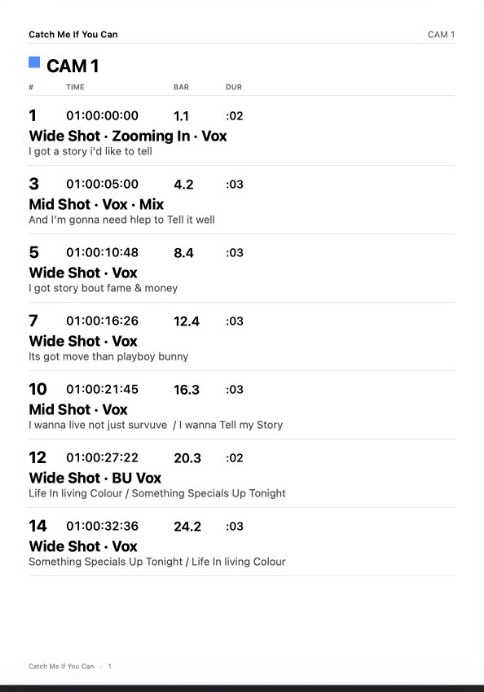
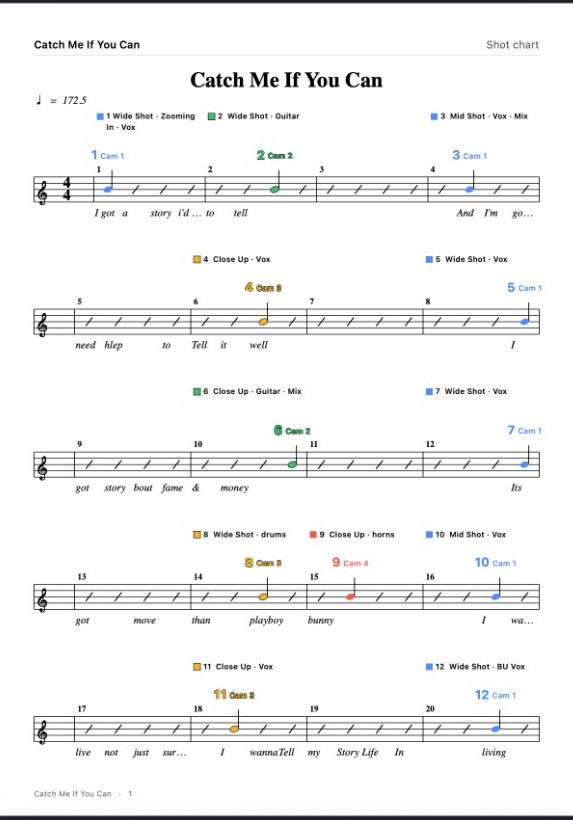
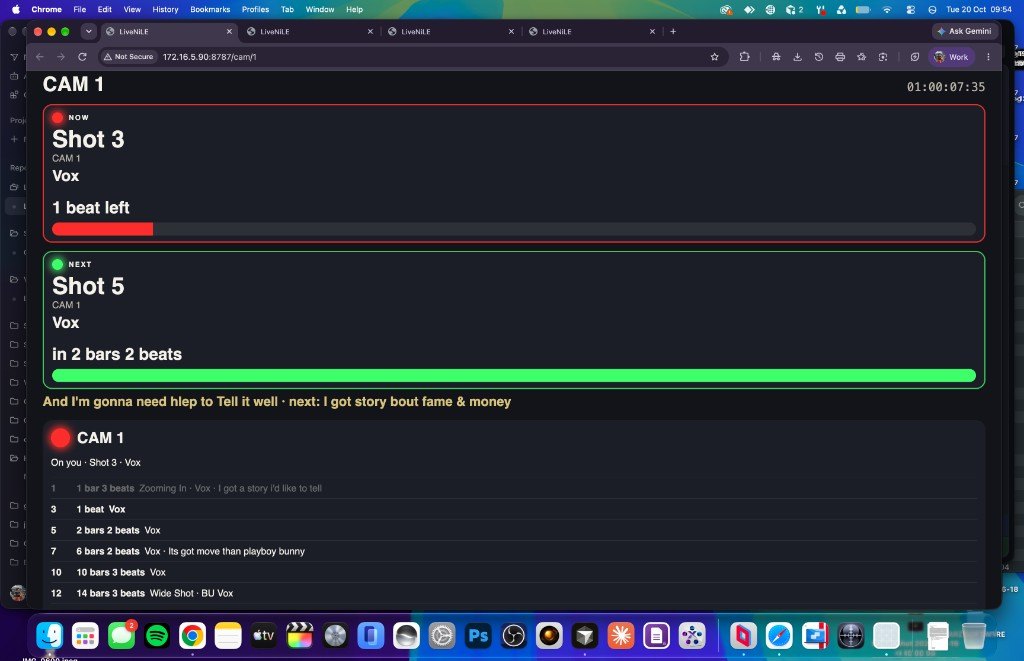
  5. Each camera opens a page with now, next, and the lyric. Camera cards and a shot chart are the paper copy.
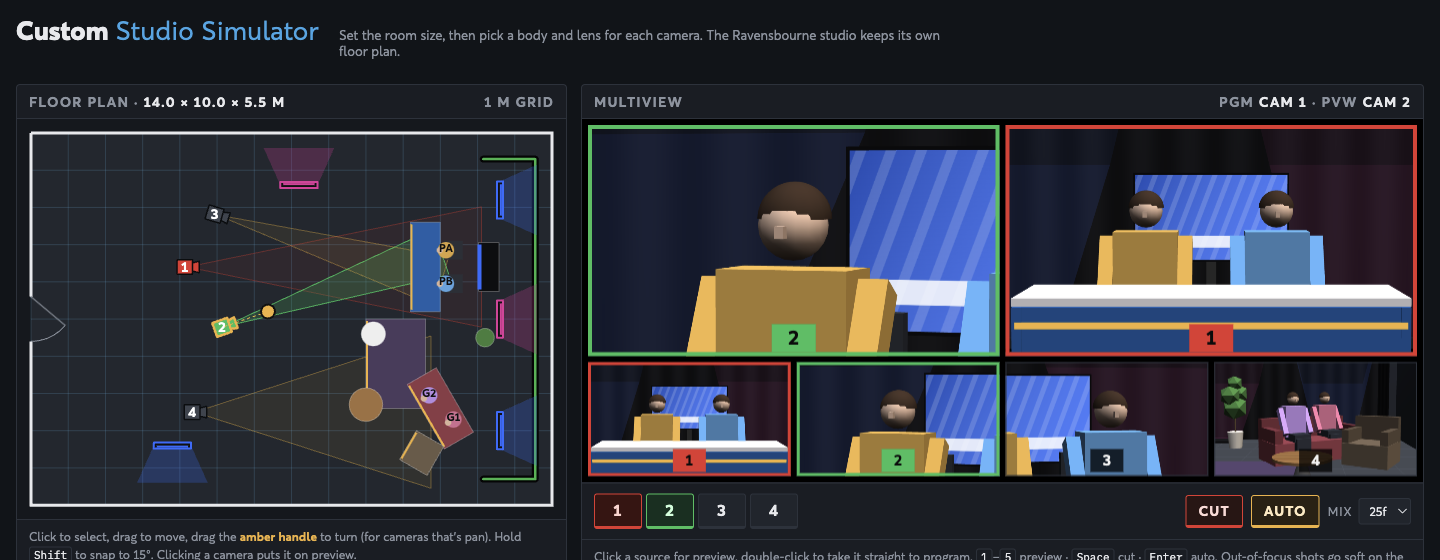
Custom Studio Simulator: a studio floor plan beside a multiview of the camera shots.
Your own room size, cameras, and lenses. The multiview shows the framed shot.

Studio Simulator

studio.vernumbroadcast.com/custom

What it is

A floor plan of your own studio, in the browser. Set the room, give each camera a body and lens, and see the shot each one actually frames. The fixed Ravensbourne studio stays on its own page. This one is the custom room.

How it works

  1. Set width, depth, height, and curtain colour.
  2. Add cameras and choose a body and lens: URSA Broadcast G2, FS7, FX3, HDC-3500, and the broadcast zooms.
  3. Drag people and set pieces. Pan a camera from the amber handle. The multiview shows the framed shot, and out-of-focus shots go soft.
  4. Cut and auto on the on-screen switcher, then export a PDF or the setup file to send the plan round. The plan stays in that browser until you export it.

Soundboard

Coming soon

What it is

A live soundboard. Tiles of audio you can fire during a show, with Bitfocus Companion over OSC so a button box can play them. The Mac app is Vernum Soundboard. The website is the next tool in this suite.

How it will work

  1. Build a show of pages and tiles, and drop a sound on each tile.
  2. Trim the in and out, then play a tile from the board.
  3. Turn on OSC and point Companion at the Mac, so a button plays a tile or stops everything.
  4. The site will open that same board in the browser. The link is not up yet.
Coming soon